



Finding a specific piece of information inside a long YouTube video can take more time than watching the video itself.
A two hour interview may contain one valuable answer hidden somewhere in the middle. A video essay may explain an important point several minutes before the end. A behind the scenes discussion may include a quote that is useful for research or writing.
Without a transcript, users usually have to move through the timeline and guess where the information appears.
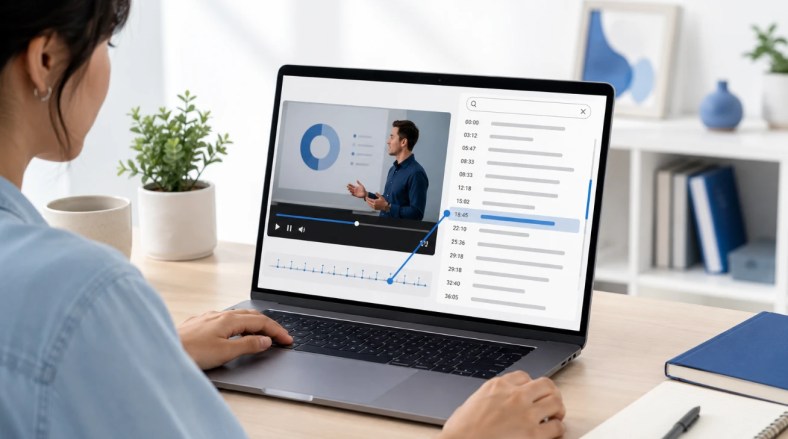
A YouTube transcript generator solves this problem by turning spoken content into searchable text. Instead of replaying the entire video, users can search the transcript, find relevant sections, and return to the original video when they need more context.
However, creating a transcript is only the first step. The real value comes from what happens after the text is generated. A useful transcript should make it easier to understand a conversation, find important details, organize research, or create new content from the original video.
This guide explores different YouTube transcript generators in 2026 and explains how each tool approaches transcript creation, organization, and the process of turning long videos into searchable information.
Why YouTube Transcripts Matter More Than Ever
YouTube has become a place where people share long form content, including interviews, discussions, reviews, tutorials, documentaries, and video essays.
The amount of information inside these videos continues to grow, but finding specific details can still be difficult when the content only exists as video.
A transcript creates another way to access the same information.
Finding Details Inside Long Videos
A long video often contains many valuable moments, but viewers may not remember exactly where they appeared.
An interview may include one important answer from a guest. A review may mention a key detail halfway through the video. A tutorial may explain a solution several minutes before the end.
Without written text, finding those moments requires manually checking different parts of the video.
A transcript allows users to search specific words, review sections quickly, and return to the original timestamp when they need more context.
This makes long videos easier to research and revisit.
Turning Interviews and Discussions Into Searchable Content
Many YouTube videos are built around conversations.
Interviews, podcasts, and panel discussions often contain information that is valuable after the original video has been published.
A transcript makes these conversations easier to analyze. Instead of listening through the entire recording again, users can search for topics, compare different answers, and find exact quotes from the discussion.
For writers, researchers, and content creators, this can reduce the time needed to review video sources.
Reusing Information From YouTube Videos
A transcript is rarely the final goal.
The written content can become the foundation for another task. Users may create notes, summarize a discussion, translate information, or collect important points from multiple videos.
The most useful YouTube transcript tools are not only focused on converting speech into words. They help users continue working with the information after transcription.
What Makes a YouTube Transcript Generator Useful?
Different tools approach transcription in different ways.
Some focus on creating text as quickly as possible, while others provide additional features that help users understand and organize the transcript.
The best choice depends on how the transcript will be used after it is created.
Transcript Accuracy
A transcript is only useful when the text reflects the original video accurately.
Clear audio usually produces better results, but real videos often include background noise, multiple speakers, accents, or specialized terms.
A good YouTube transcript generator should create text that requires minimal correction and allows users to check important sections against the original video.
Timestamps and Search
A transcript becomes much more useful when it stays connected to the original video.
Timestamps allow users to return to the exact moment where a sentence was spoken. Search makes it easier to locate specific topics without watching the entire recording again.
These features are especially valuable for long interviews and discussions.
Features Beyond Basic Transcription
Text extraction is only the beginning.
Some tools provide additional features such as summaries, AI questions, translation, or content organization.
These features help users understand large amounts of information without manually reviewing every line of the transcript.
5 YouTube Transcript Generators Worth Knowing in 2026
1. Decopy: YouTube Transcripts With AI Analysis
Many YouTube transcript tools focus on one task: converting spoken words into text.
That step is important, but long videos often require more than a transcript. After the text has been created, users may still need to understand the main points, find important sections, or organize information from the video.
Decopy approaches YouTube transcription as a complete workflow.
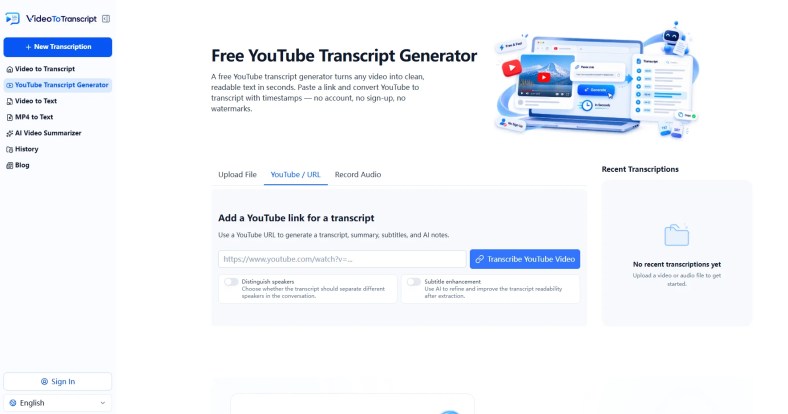
Users can provide a YouTube video, generate a transcript with timestamps, and continue working with the information instead of moving the text into another tool.
The transcript remains connected to the original video context. Users can search through the content, review specific sections, and use additional AI features to better understand longer discussions.
For example, someone analyzing a long interview can find important statements without replaying the entire conversation. Someone reviewing an educational video can summarize the main ideas before returning to detailed sections.
This approach is useful because the transcript becomes more than a copy of spoken words. It becomes a searchable version of the video that can be explored and organized.
Users looking for the best YouTube transcript generator can use Decopy to turn YouTube videos into searchable text and continue analyzing the information after transcription.
2. VideoToTranscript: Simple Video Transcript Creation
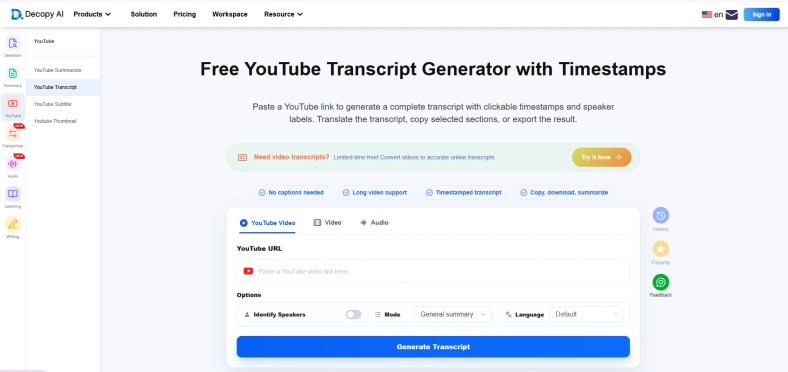
VideoToTranscript focuses on creating written versions of video content.
The workflow is built around a simple idea: take spoken information from a video and turn it into text that can be reviewed and searched.
For many users, this is the main reason they need a transcript. A video may contain useful information, but finding that information again can be difficult without a written version.
The process removes the need to manually take notes while watching. Instead, users can review the transcript, search important terms, and return to the original video when necessary.
Compared with tools designed mainly for meetings or voice recordings, VideoToTranscript focuses on video based transcription.
For users looking for a YouTube video transcript generator, VideoToTranscript provides a direct way to convert video content into readable text and review information from longer recordings.
3. Descript: Editing Videos Through Text
Some tools use transcription as part of a larger video editing workflow.
Instead of treating the transcript as a separate document, these platforms connect the written text with the original video. This allows users to review spoken content and make changes through the transcript.
Descript follows this approach.
After generating a transcript, users can edit the written content and apply those changes to the video. This creates a different way of working with recorded content because users do not always need to search through a timeline manually.
The advantage of this workflow appears when the goal is creating or editing video content. A transcript becomes part of the production process rather than only a reference document.
However, this approach is not always necessary for users who only need to extract information from a YouTube video. Additional editing features can be useful, but they may add complexity when the main goal is simply creating searchable text.
Descript shows how transcription can become part of a wider content workflow.
4. Notta: General AI Transcription Workflow
Notta takes a broader approach to transcription.
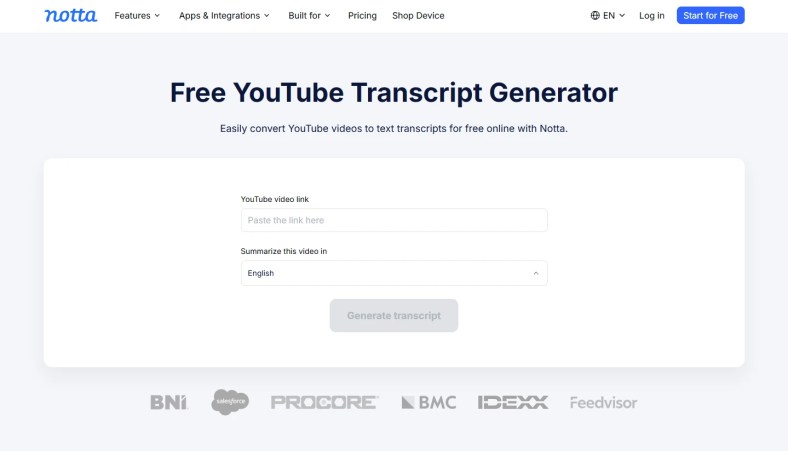
Instead of focusing only on YouTube videos, the platform works with different types of recordings and creates written transcripts from spoken content.
The advantage of this approach is flexibility. Users who work with different sources can keep one transcription workflow instead of switching between separate tools.
The transcript becomes a place to review conversations, search information, and organize important details.
However, a general transcription platform may not always provide the most focused experience for YouTube content. When the main goal is extracting information from online videos, a dedicated YouTube transcript workflow may feel more direct.
Notta is useful for users who need transcription across different types of content and want a broader workspace for managing transcripts.
5. Happy Scribe: Transcript and Subtitle Creation
Happy Scribe connects transcription with subtitle creation.
While a transcript helps users read and search spoken content, subtitles focus on making videos easier to follow while watching.
This creates a different type of workflow. The generated text is not only used for research or review, but can also become part of the final video publishing process.
For example, a transcript from an interview can be reviewed first, then adjusted into subtitles before the video is shared with viewers.
The advantage of this approach is that the written content can serve multiple purposes.
However, users who only need a searchable transcript may not need subtitle focused features.
Happy Scribe is a useful option when transcription is connected with video accessibility and publishing.

How YouTube Transcripts Help With Content Research
A YouTube transcript is valuable because it changes the way people interact with video information.
Instead of treating a video as something that can only be watched from beginning to end, a transcript creates a searchable layer on top of the content.
Finding Quotes From Interviews
Interviews often contain the most valuable information in specific moments.
A guest may explain an idea in one sentence, share a personal experience, or provide a useful quote that is difficult to locate later.
Searching through a transcript makes this process easier. Writers and researchers can find relevant sections first, then return to the original video to confirm the context.
This is especially useful for long conversations where important details are spread across the entire recording.
Reviewing Long Video Essays
Video essays often combine research, commentary, and explanations.
The information may be valuable, but reviewing a long video repeatedly takes time.
A transcript allows viewers to scan the structure of the discussion, identify important sections, and understand how different points connect.
Instead of replacing the video, the transcript becomes another way to explore the content.
Organizing Information Before Writing
Many articles, reviews, and research pieces start with collecting information from different sources.
YouTube videos can provide useful material, but manually taking notes from each video can slow down the process.
A transcript provides a written reference that can be reviewed, compared, and organized before creating new content.
The important part is keeping the connection between the written text and the original video. A transcript should support research, not remove the need to understand the original source.
Choosing the Right YouTube Transcript Generator
Different users need different things from a transcript.
A simple extraction tool may be enough for some situations, while others require additional features to analyze and organize information.
When You Need Quick Text Extraction
If the main goal is creating a written version of a YouTube video, the most important features are a simple workflow and reliable transcript generation.
The process should be straightforward:
Upload or select a video
Generate the transcript
Review the text
Return to important timestamps when needed
In this situation, additional features may not be necessary.
When You Need AI Assisted Analysis
Long videos often contain more information than users can process manually.
AI features can help summarize discussions, answer questions about the content, and highlight important sections.
This becomes useful when the transcript is not the final output, but the starting point for deeper research.
When You Need Content Repurposing
Some users create transcripts because they want to transform video information into another format.
The transcript may become notes, written content, subtitles, or research material.
In these cases, tools that provide export options and additional processing features can reduce the work required after transcription.
Frequently Asked Questions
How do I generate a transcript from a YouTube video?
A YouTube transcript can be created by using a transcript generator that analyzes the video’s spoken content and converts it into written text.
The general process is to provide the video source, wait for transcription, and then review the generated text.
Are YouTube transcript generators accurate?
Accuracy depends on several factors, including audio quality, background noise, speaker clarity, and the complexity of the content.
Clear recordings usually produce better results, while interviews with multiple speakers or technical terms may require additional review.
Can YouTube transcripts be used for writing articles?
Yes.
A transcript can help writers review interviews, collect quotes, understand discussions, and organize information before creating an article.
However, the original video should still be checked to confirm context and meaning.
What is the difference between a transcript extractor and generator?
A transcript extractor usually focuses on retrieving existing transcript data when it is available.
A transcript generator creates new text by analyzing the video’s audio content.
The difference becomes important when a video does not already have available captions or transcripts.
Final Thoughts
YouTube videos contain a large amount of information, but accessing that information is not always simple.
The challenge is often not finding a video. It is finding a specific moment inside that video after it has already been published.
A YouTube transcript generator helps solve this problem by turning spoken content into searchable text.
However, the most useful transcript is not simply a copy of the audio. It should help users understand conversations, find important details, and continue working with the information.
Whether someone is reviewing an interview, researching a topic, or organizing ideas from a long video, a transcript creates a more efficient way to interact with video content.
The best workflow is the one that makes the information inside videos easier to find, understand, and use.


