



Setting up your trading platform is essential if you’re an active stock trader. You should quickly access the data and tools needed to respond to signals. The Mobile Pixels Geminos stacked monitors are a great way to achieve this; they allow for customizable and modular screen customization and pre-set options tailored for specific types of traders, which will significantly improve your trading strategy.
What are Stacked Monitors?
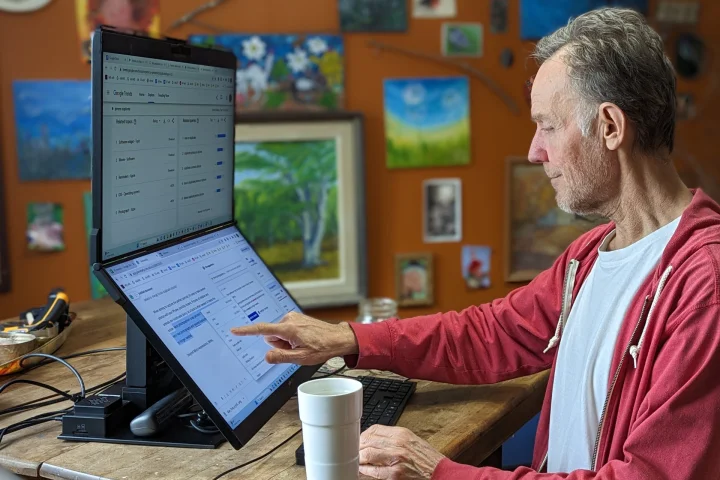
A stacked monitor is a set of two or more screens placed on top of each other vertically. It differs from a regular vertical monitor, which only has one screen, as the stacked version encompasses two or three monitors.
A stacked monitor is distinct from a dual monitor. Not all dual monitors are stacked, and not all stacked monitors consist of just two computers (some may be composed of more). A dual monitor refers to having two computers on the same desk connected. You can arrange them one on the other or side by side.
To sum up, a stacked monitor is an arrangement of multiple computers placed vertically atop each other, thus taking up less space on your work surface.
Benefits of Stacked Monitors for Stock Traders
So why are stacked monitors better for a stock trader? There are a few benefits you should note.
Bigger Screen Estate
A stock trader must be able to access all essential data and tools quickly and easily. Having to scour through various windows and tabs on a computer can be a time-consuming process. With the emergence of larger monitors and tablets, traders can now get a better view of the information they need. Small charts and graphs that were hard to discern on a laptop can now be seen clearly and with greater detail.
Not only that, but the need to search for one detail for hours on end is no longer necessary. With the right tools, a trader can be sure to spot a signal or pattern in no time, allowing them to take action quickly. Considering how the stock market can change in seconds, acting fast is of utmost importance.
Eliminate Tab Switching
Not only is this frustrating but it also is not recommended for a stock trader to go on switching tabs repeatedly. An average stock trader must have accounts open for market observation, position management, and incubator.
Therefore you need a reserve chart if you are a must-watch ticker, a link dedicated to setting the different time frames that link to a single symbol from the watch list, the futures, volatility index charts, and many more. Though this may sound like a few tabs, these are a combination of tabs you’ll need to open. Therefore, to eliminate the repetitive switching, the Geminos stacked monitor with a more extensive screen estate can help.
It is easy to set up and take down.
The convenience of having two or more monitors to check an update quickly without worrying about setting up a stand or a carrier is made possible with a single piece of monitor that is easily stacked. All you need to do is to turn on your computer, connect it to your laptop, and you are ready to go. It eliminates the need to install a separate monitor stand and the hassle of connecting multiple monitors. Furthermore, the monitor is lightweight and portable, making it easy to move around as needed. It is also easy to set up and use, making it ideal for those who need a quick and easy way to access updates. With a single monitor, you can quickly access updates and ensure your information is secure.
Conclusion: Some Examples of the Best Stock Trading Set-Ups on a Stacked Monitor
The following are some samples of how you can arrange your tabs on the vertical monitor so that you can thoroughly enjoy the benefits of the monitor.
Example 1 — Four Panels on the Vertical Monitor

The top panel (1) identifies leading indicators, the center-left panel (2) breaks down the Level 2 market depth display, the center-right panel (3) shows a basic portfolio view for long-term investments, and the bottom panel (4) displays comprehensive information on current positions and stocks under observation for purchase.
Example 2: Three Panels including a Chart

Using the green symbol on the upper left, the top left (1) and top right (2) panels display scaled-down data on secondary ticker lists, while chart (3) links to tickers on all panels.
Example 3: Five Panels for Comprehensive Trading

The top left (1) and center left (2) panels show data not seen on the first screen. The top right panel (3) focuses on energy and commodities, similar to other lists. The bottom left chart (4) shows a real-time VIX, while the bottom-right chart (5) displays important core securities for long periods.


